 AV ALL IN
A meeting room works when remote people can see every face, hear every voice, and anyone can start the call with one touch. That takes four things sized to the room: a display, a camera, audio and control. This guide shows how to choose each one and what to prepare before you ask for a quotation.
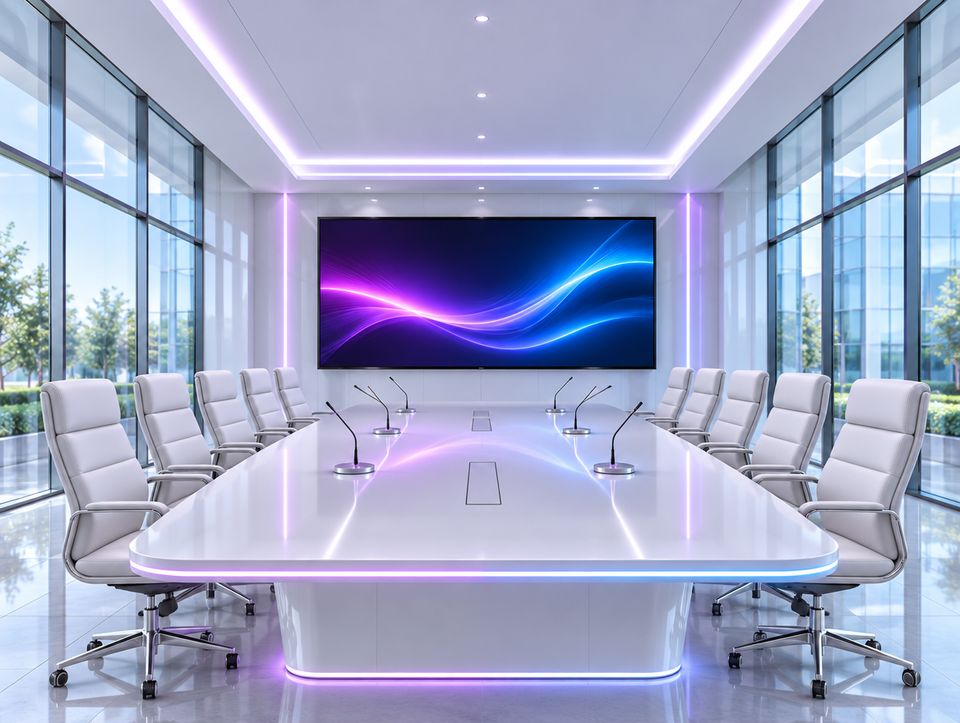
Start with the size of the room
| Room | Seats | What it usually needs |
|---|---|---|
| Huddle room | 2 to 6 | One display, an all-in-one video bar, a single cable or wireless sharing |
| Medium meeting room | 6 to 12 | A larger display or two, a camera with auto-framing, table or ceiling microphones, a touch panel |
| Boardroom | 12 to 20 or more | Dual displays, one or more PTZ cameras, ceiling microphone arrays, a DSP, ceiling speakers, full room control |
What the system includes
| Part | What it does |
|---|---|
| Display | Shows content and remote participants. Professional displays are built for long daily hours; a home television is not. |
| Camera | Frames everyone at the table. Wide-angle video bars suit small rooms, and PTZ cameras with tracking suit long ones. |
| Microphones | Pick up every seat evenly. Options are a video bar with built-in microphones, table microphones, or a ceiling array that leaves the table clear. |
| DSP | Removes echo so remote people do not hear themselves, and balances the microphones automatically. |
| Speakers | Make remote voices clear at every seat. Ceiling speakers spread sound evenly in larger rooms. |
| Connection | A USB-C or HDMI point at the table, wireless sharing, or a dedicated room system for Teams, Zoom or Google Meet. |
| Control | A touch panel that starts the meeting, selects the source and adjusts volume, lights and blinds. |
How to size each part
- Display size: the furthest viewer should sit no further than about six times the height of the image, and four times if people read spreadsheets or drawings.
- Camera position: at eye level, next to or just below the display, so remote people get eye contact instead of a view of the tops of heads.
- Microphones: each talker should be within about one to one and a half metres of a microphone. Beyond that, voices sound distant and room echo takes over.
- Room echo: aim for a reverberation time of about 0.4 to 0.6 seconds. Glass walls, bare ceilings and hard tables push it higher; carpet, acoustic ceiling tiles and wall panels bring it down.
- Cables: plain HDMI cables are dependable for 4K only over short runs. Beyond about 10 metres use active optical cables, HDBaseT or AV over IP.
Common mistakes
- A display chosen for the wall, not for the furthest seat.
- A camera mounted high above the display.
- An all-in-one video bar in a room that is too long for its microphones.
- A glass-walled room with no acoustic treatment at all.
- No connection point at the table, so cables cross the floor.
- A system with five remotes and no single way to start a meeting.
What to prepare before asking for a quotation
- Room length, width and height, and the table shape and number of seats.
- Wall, ceiling and floor finishes, and which walls are glass.
- The meeting platform your company uses.
- Whether people bring their own laptops or the room has its own computer.
- Photos or a drawing, and the position of power and network points.
Questions people ask
What size screen does a meeting room need?
Measure from the display wall to the furthest seat and divide by six. The result is the minimum image height. A room 6 metres deep needs an image about 1 metre high, which is roughly an 85-inch display.
Is a video bar enough, or do I need separate components?
A video bar is enough for rooms up to about six seats, where everyone sits within a few metres of it. Longer rooms need separate microphones close to the people and a camera that can zoom.
Why do remote participants say our room sounds echoey?
Usually because the microphones are too far from the talkers, the room has too many hard surfaces, or both. Moving microphones closer and adding absorbing surfaces fixes more than a new camera or display will.
This guide is also available in Arabic.